 TurtleTV
Prime Video on TurtleTV: use the iOS or Android app. Prime is not supported in TurtleTV's desktop Chrome beta. Every participant needs their own access to the title.
So how do you do a watch party on Amazon Prime now? You still watch on Prime, with your own subscription. What changes is the layer on top: a watch-party app that keeps everyone's playback in sync and holds the chat. For an Amazon Prime Video watch party today, that is the practical route.
TurtleTV is one of those layers. It runs Prime parties in its iOS and Android apps.
Amazon removed its Prime Watch Party: here's what still works
WHAT CHANGED
An Amazon staff response confirms that the option to host a Watch Party ended on April 2, 2024. Old tutorials that rely on Amazon's built-in button no longer describe the setup flow.
The steps below use TurtleTV's party controls instead. You still need your own access to Prime Video and to the title you want to watch.
WHAT WORKS NOW
A synchronized Amazon Prime watch party can use a third-party app to coordinate playback. Everyone stays inside their own Prime account and watches the real stream. The app handles the shared clock and the conversation.
Two kinds of tool do this:
Browser extensions, which run on a computer and need Chrome or another desktop browser.
Mobile apps, which run on a phone or tablet and need no extension at all.
For Prime, TurtleTV belongs to the second group. Prime Video parties work in its iOS and Android apps. That is the point of this page: a Prime watch party that does not need a laptop.
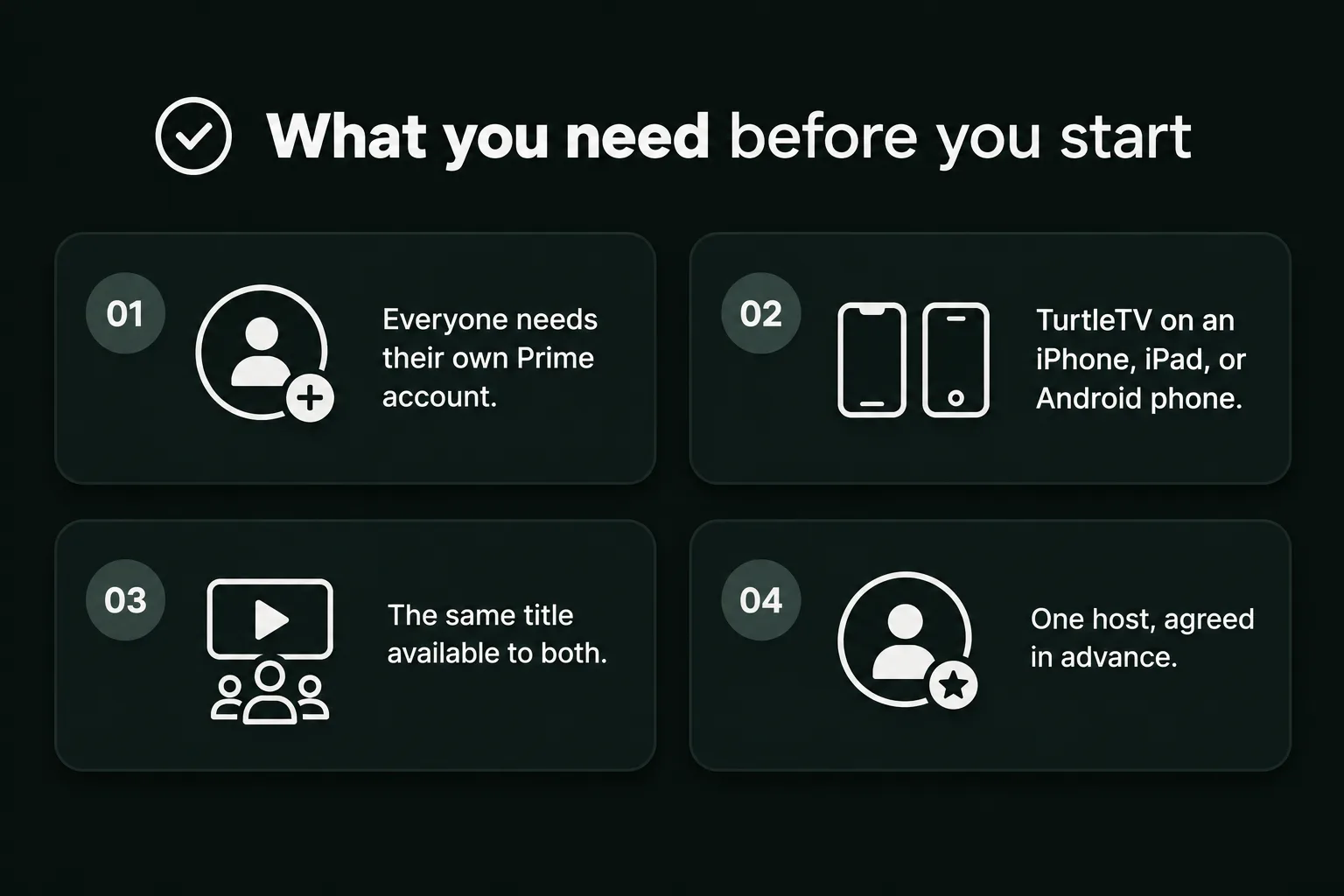
What you need before you start
Four things, and one reassurance.
01 Everyone needs their own Prime account. Each participant should sign in with their own account and have access to the selected title. Amazon's usage rules generally allow three simultaneous subscription streams per account, with a two-device limit for the same title. Rental, Mobile Edition, add-on, and regional limits can differ. A party invitation does not expand those limits or include a subscription.
02 TurtleTV on an iPhone, iPad, or Android phone. Each guest installs it on the device they will watch from. No extension, no desktop browser.
03 The same title available to both. Region and subscription tier decide this, not the app. An invitation does not unlock a film that is missing from somebody's catalogue.
04 One host, agreed in advance. The host's phone drives play, pause, and seek for everyone.
Starting a party costs no Watch Tokens. Active watching uses tokens; check each participant's balance and read the Watch Tokens guide before a longer film.
How to start a Prime Video watch party
The steps are short. Nothing here needs a browser extension or a second screen.
01 Install "Turtle: Watch Party". That is the app listed as TurtleTV elsewhere on this site. Get it from the App Store or Google Play, then open the app.
02 Pick Prime Video and choose the title. Sign in to Prime if the app asks. Open the exact film or episode you want.
03 Start the party. Use the party control in the app, then send the invitation from the Share menu. Share it only with the people you invited.
04 Let everyone in before you press play. Wait until every guest can see the same title on their own screen. Then start.
That is how to do a watch party on Amazon Prime, start to finish. If someone drops out later, they rejoin the party and let playback catch up to the host. The mobile getting-started guide also shows how sharing an invitation works.
Watch on your phone: Prime Video parties are in the app
Prime Video watch parties work on the iOS and Android apps only. They do not work in the Chrome extension yet.
The extension covers YouTube and Netflix, and it is still in beta. A service in the mobile app is not automatically supported in the extension. Prime is the clearest example of that gap right now.
So the device decides the tool:
On a phone or tablet, use the TurtleTV app for Prime.
In desktop Chrome, TurtleTV's beta supports YouTube and Netflix. For Prime on a computer, check a desktop watch-party tool's current Prime Video compatibility before inviting anyone.
Check the supported-services guide before choosing a device. Prime support in TurtleTV's Chrome extension is not a setting you can switch on.
| Your device | What works |
|---|---|
| iPhone, iPad & Android | Prime Video watch parties in the TurtleTV app. |
| Desktop Chrome | TurtleTV beta supports YouTube and Netflix. Prime Video is not supported. |
Invite friends and keep playback in sync
Sync is the part people search about later, so treat it as a rule, not a feature.
The host's play, pause, and seek drive the party. Guests follow.
One host only. Two people pressing play turns the evening into a tug of war.
Chat sits beside the video, so reactions stay in the app instead of a second messaging thread.
Voice is available when the host's membership enables it. Approve microphone access when prompted, and mute yourself when you stop talking.
If a guest falls behind, have the host pause briefly and resume. Give buffering time to settle; rejoin if the connection still does not catch up.
Guests should let the host control the timeline instead of seeking independently.
Can you screen share Prime Video instead?
Screen sharing is not a dependable way to watch Prime Video together. A call may capture the browser window while the protected video itself appears black.
Prime Video streams protected content. A black picture can be caused by DRM or HDCP protection, although capture settings and other issues can also cause it. The VDO.Ninja documentation names Prime Video as an example and explains that its tools are not intended to bypass content protection (docs.vdo.ninja).
Screen sharing also puts the stream and its controls on one person:
The group relies on one person’s stream and connection.
Nobody can pause without asking you.
For a watch party, have each person play the title through their own authorized access and synchronize playback instead of relying on screen capture.
If the group wants a laptop, verify that the desktop tool you choose currently supports Prime Video.
Prime Video watch party problems, fixed
Black picture
If the picture is black while someone is screen sharing, content protection may be blocking capture. Have everyone open the title through their own access instead. If one guest sees black during ordinary playback, ask them to close and reopen the title, then check whether it plays independently of the party.
Playback drifts apart
One person is twenty seconds ahead and cannot catch up. Have the host pause briefly and resume, allowing time for playback to settle. If drift returns every few minutes, the guest with the weakest connection should move to Wi-Fi and close background apps before rejoining.
Someone cannot join
Check four things in this order: the invitation is the current one, TurtleTV is installed, that person is signed in to Prime, and the title exists in their region. Rejoining cannot grant access to something they cannot play on their own.
Same account, kicked out
A shared login can hit Prime Video's stream limits. Each participant should use their own account with access to the title. Subscription titles generally have a two-device limit for the same title on one account; rentals and other categories can have different limits. Check Amazon's rules for your location and purchase type.
Chat or voice is silent
For more help, see party troubleshooting.
Text chat should work as soon as the party does. Voice depends on the host's eligible membership and on microphone permission on each device. Approve the prompt, check the app has microphone access in system settings, and wear headphones to stop the echo loop.
Amazon Prime watch party: your questions
Is the Prime Watch Party coming back?
Amazon confirmed that hosting ended on April 2, 2024. These instructions use TurtleTV instead of the old Prime Watch Party button; they do not depend on that feature returning.
Does everyone need their own Prime account?
Yes. Each person watches through their own Prime subscription. A party link shares the clock and the chat, not the stream or the login.
Can I host a Prime watch party on a laptop?
Not with TurtleTV's current Chrome beta, because Prime is supported in the mobile apps. For a laptop session, check whether your preferred desktop watch-party tool currently supports Prime Video and your browser.
Why did Amazon remove it?
Amazon's staff confirmation establishes when hosting ended, but does not give a specific reason for the decision. We do not have a verified explanation to add.
Does each guest need the app installed?
Yes, if you want the party on phones. The app is what carries the invitation, the sync, and the chat.
Sources
Read on 8 November 2026.
Amazon Prime Video Usage Rules - streaming and device limits per account: primevideo.com/help
Amazon Forum, staff confirmation that hosting ended on April 2, 2024: amazonforum.com
Ninja Docs, "Screen-share is just a black video": docs.vdo.ninja